Forensic Script Output Parser
-This article introduces — CSV-Sploiter a tool which I built with Lovable (zero code) free subscription. CSV-Sploiter takes CSV files containing collected artefacts and displays them in a clean, Splunk-style searchable interface.
Let’s say your manager hands you a windows computer that is suspected to be compromised. They want to know two things: Is it actually compromised? And if so, what artefacts indicate that?
You’re not a forensic expert, so there’s no need for deep memory level forensics. The first thing that comes to your mind is to check for suspicious artefacts by running a collection script on the potentially compromised system and then sifting through the collected data to identify anomalies.
There are several great community-driven scripts available for initial artefact collection. One that I personally find particularly useful is the DFIR PowerShell script by (Bert-JanP).
As the author explains after running the script:
“The collected information is saved in an output directory in the current folder, by creating a folder named ‘DFIR-hostname-year-month-date’. This folder is zipped at the end to enable easy collection. The script can also be integrated with Microsoft Defender for Endpoint through Live Response sessions, making it practical in enterprise environments.”
The script exports these artefacts to multiple folders and csv files, reviewing them manually can quickly become overwhelming and time-consuming.
To simplify this process, I built a lightweight CSV parser using Lovable (zero-code). The tool allows you to upload either a single CSV file or an entire folder of collected artefacts and view the data in a clean, Splunk-style interface. It also enables searching across all collected artefacts for specific IoCs. The parser works offline and can be cloned from my GitHub repository.
Alright let’s do some action now:
Step 1: Running the powershell script as admin
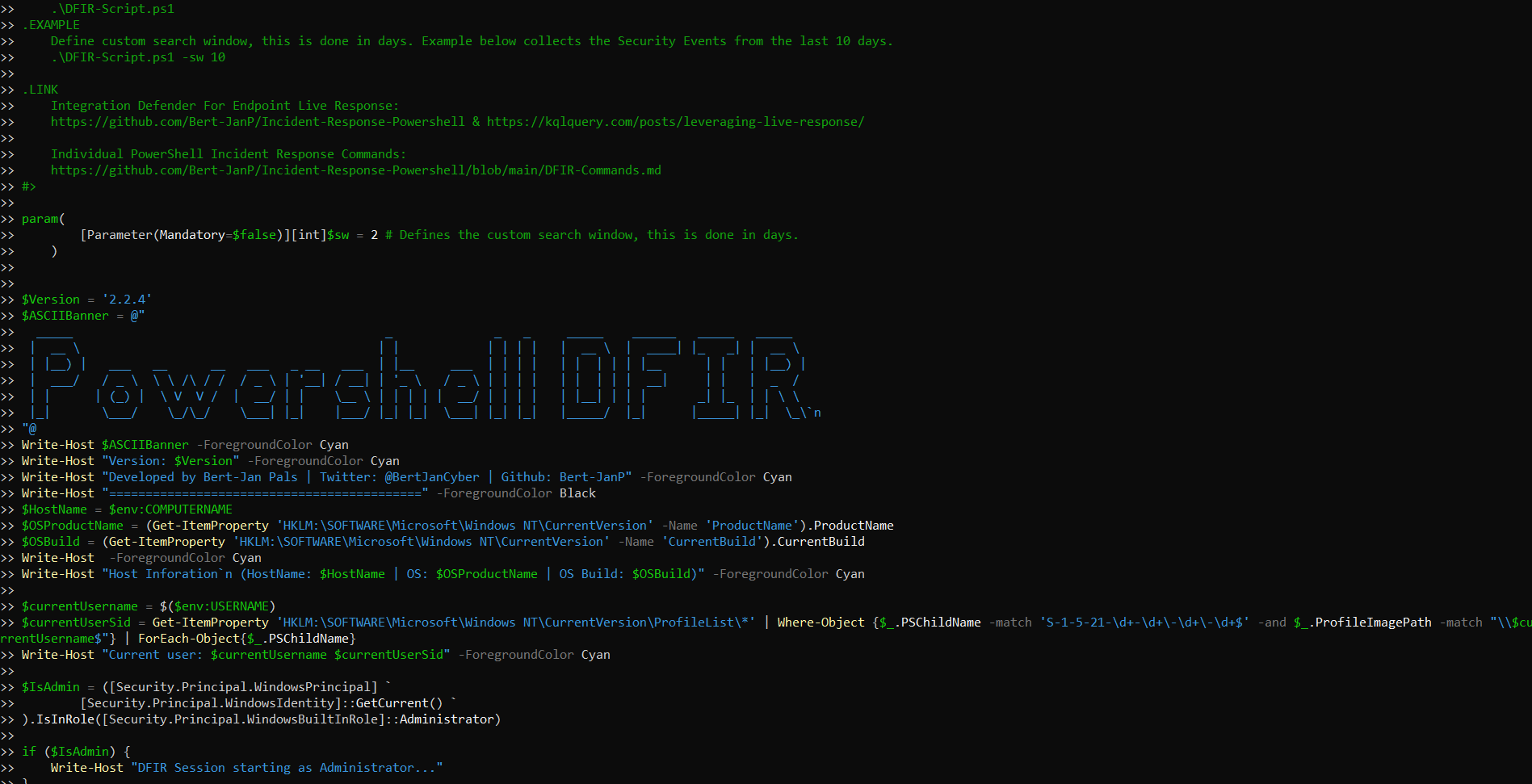
Figure 1: Running the collection script
Step 2: Running -csv-sploiter parser tool
Clone the -csv-sploiter and run on local server with command “npm run dev – –host localhost”. Afterwords uppload the folder “CSV Results (SIEM Import Data)” which contains all the aretifacts in csv files into the CSV parser.
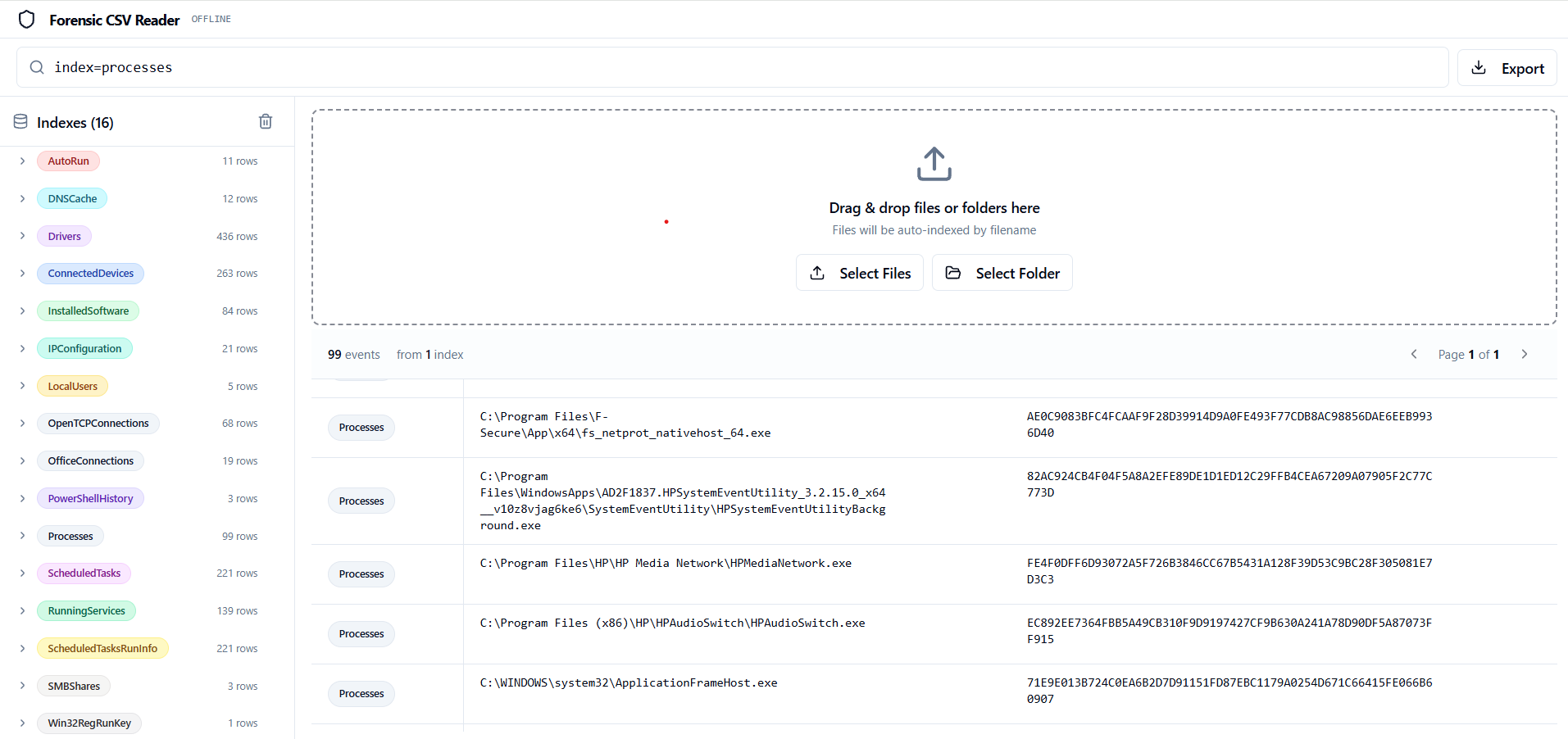
Figure 2: -CSV-sploiter displays the collected artefacts in a clean, splunk style interface with search funktionality